Novellia Collections: Organize Your Health Records How You Think About Your Health

By: Katie Wu, Emily Noronha, Claire Baum, Cait Williamson PhD
Posted: August 26, 2026
Pulling together everything related to a specific diagnosis before an appointment can be challenging! You might have labs from multiple providers, imaging reports scattered across various portals, and clinical notes from specialists in different hospitals. This data is all stored in your Novellia account, but collections makes it easier to find the ones you actually need at the moment.
What is Collections?
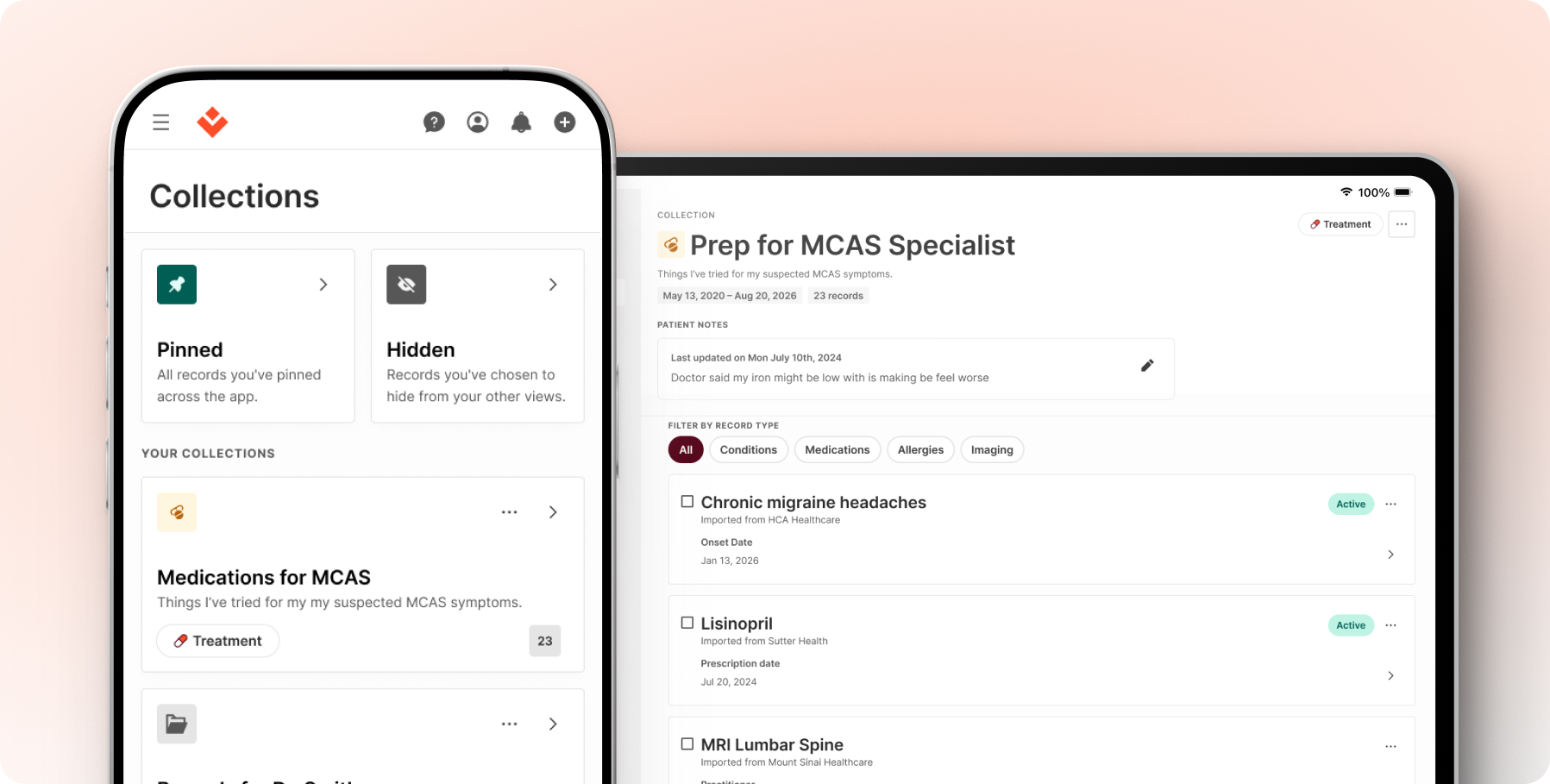
Collections is a new feature in Novellia that lets you group your health records however it makes sense to you. By condition, by treatment, by provider, by time period, by anything.
Instead of scrolling through your full record history to find what you need, you can create a Collection once and your records are there whenever you come back. Prepping for a cardiology appointment? Open your heart health Collection. Starting a new medication and want to track everything related to it? Build a Collection around that treatment. Managing multiple conditions at once? Each one gets its own organized view.
Your records become much easier to navigate.
How to get started with Collections
Collections is available now on Novellia's web platform. Here's how to access it: 1. Log in to your Novellia account at novellia.com.
2. Go to the Collections section in the main navigation.
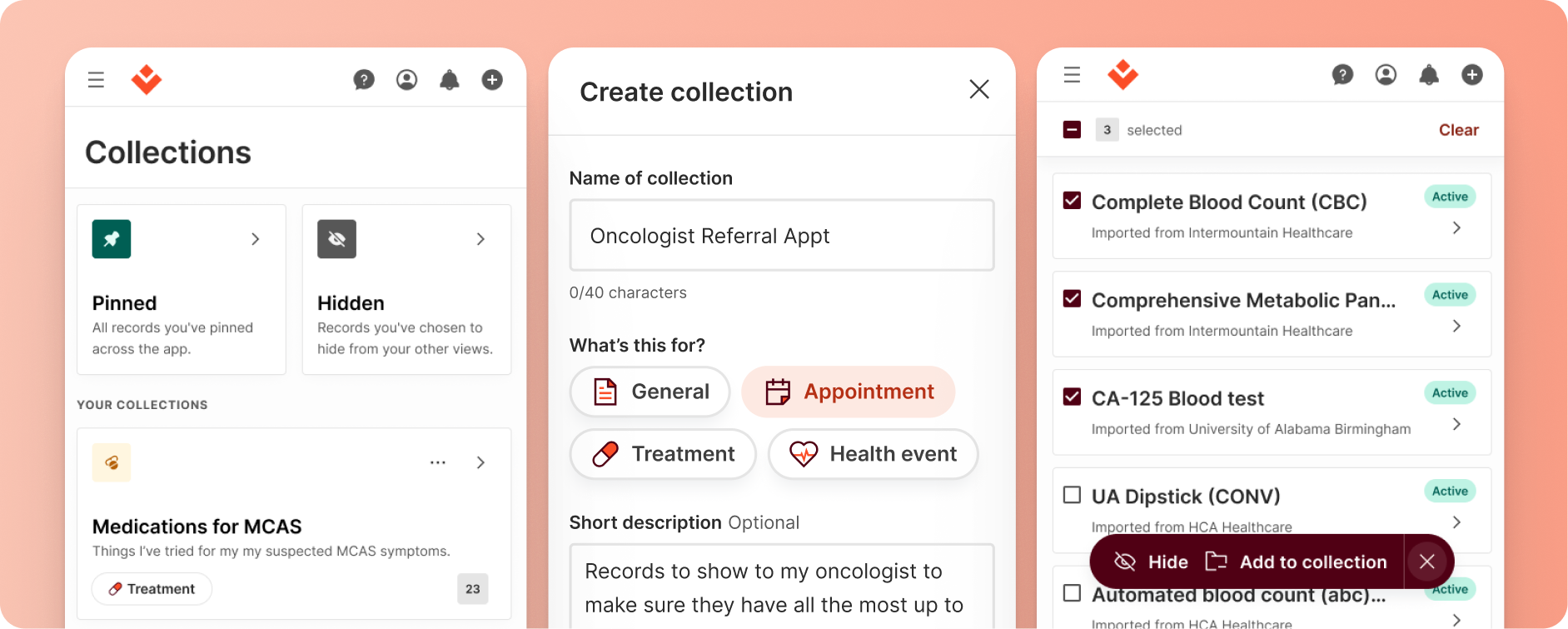
3. Create your first Collection from the Collections overview page, or use the universal "+ Add" menu from anywhere in the app.
You can also feature Collections on your Home view, so your most-used ones are front and center every time you open Novellia. Every Novellia account also comes with two default Collections built in:
Pinned records — for the records you reach for most often. Lab results you reference regularly, a summary document, a pathology report you've needed at multiple appointments.
Hidden records — for records you want to keep in your account but out of your main view. Older records that aren't currently relevant, duplicates, or anything that clutters your view without adding value right now.
Why organizing records around your conditions matters
The way most health platforms organize records (by date, by provider, by record type) makes sense from a data perspective, but doesn't always make sense from a patient perspective.
When you're living with a diagnosis, your mental model of your health is usually organized around that condition. You think about your rheumatoid arthritis records, your chemotherapy labs, your post-surgery imaging. Not "records from May 2023" or "records from Provider ID 4471."
Collections is built around that. You organize your records the way your brain already organizes your health journey, which makes it easier to find the documents you need.
For patients managing multiple conditions, this is especially helpful. Instead of one undifferentiated list of hundreds of records across years of care, you have structured views that match how you mentally process and discuss each part of your health with different providers.
What you can do with Collections right now
Prepare for appointments more efficiently. Before a specialist visit, open the Collection you've built for that condition and you have everything relevant in one place: recent labs, imaging, clinical notes, your own records.
Organize records around a treatment or medication. If you're on a new treatment protocol, a Collection lets you keep track of everything related to it: baseline labs, follow-up results, side effect notes, visit summaries. You can build a coherent before-and-after record over time.
Share context more clearly. When you do need to share specific records with a new provider or a family member helping manage your care, a Collection makes it easy to identify exactly what's relevant rather than handing over your entire health history.
Clean up your view without losing records. Records you don't need day-to-day stay in your account, accessible if you ever need them, but out of the way.
Frequently asked questions about Collections
Can I add the same record to more than one Collection?
Yes. A record can appear in multiple Collections at once. If a lab result is relevant to both your thyroid condition and your medication tracking, it can live in both without being duplicated.
What's the difference between Pinned and my own Collections?
Pinned is a default Collection designed for quick access to your most-used records. Your own Collections are organized however you define them, by condition, treatment, provider, or any other grouping. You can pin a Collection to your Home view so it behaves similarly to Pinned in terms of visibility.
Can I share a Collection with my doctor?
Sharing directly from Collections is not currently supported. For now, you can use your Collections to identify which records are relevant, then share those records individually through Novellia's existing sharing tools.
Is there a limit to how many Collections I can create?
No. Create as many as you need. Some patients find that a handful of condition-based Collections covers most of what they need. Others build more specific views.
Do Collections affect how my records are stored or shared with researchers?
No. Collections are a personal organizational layer on top of your records. They don't change anything about how your records are stored, what data Novellia holds, or your research participation settings.
About Novellia: Novellia is a free patient health platform that helps people consolidate their medical records, track symptoms and medications, and participate in research that's relevant to their diagnosis. Patients stay in control of their data at every step.